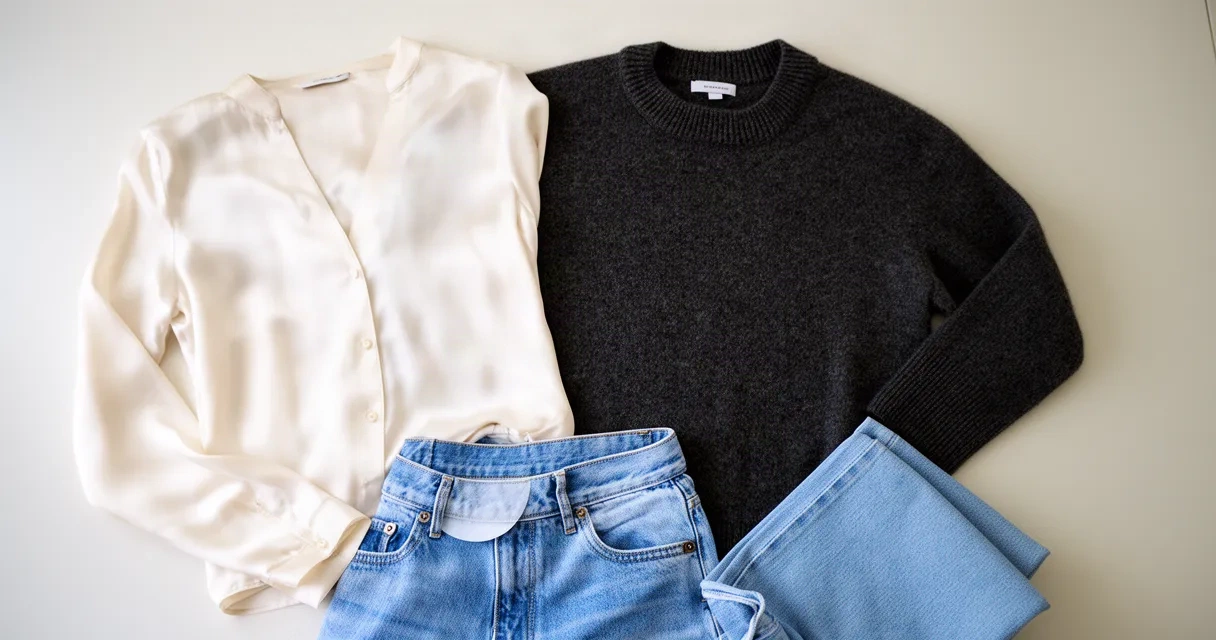
How to Launch a Virtual Fitting Room for Your E-Commerce Business
When a customer clicks "Add to Cart," doubt creeps in. Will that dress fit? Does that color work for their skin tone? Is the jacket the right length? Millions of online shoppers abandon their carts because they can't answer these questions. A virtual fitting room for e-commerce fixes this by letting customers see how clothes, shoes, and accessories will look on them before they buy.
Virtual fitting rooms use artificial intelligence and computer vision to create a try-on experience that feels like looking in a store mirror. Customers see themselves wearing products in real-time through their phone or webcam. The payoff? Fewer returns, more confident buyers, and customers who come back because they trust your brand.
This guide shows you how to launch a virtual fitting room for your e-commerce business. Whether you run a small boutique or a larger store, you'll learn what these systems do, how to set them up, and how to know if they're working.
What Virtual Fitting Rooms Solve for Online Retailers
Online fashion and beauty stores face a tough reality: people return way more items than they do in physical stores. Studies show that 25–40% of online fashion purchases get returned, versus just 8–10% for brick-and-mortar shops. The biggest reason? Customers worry about fit.
A virtual fitting room tackles this head-on. Here's what it fixes:
Cuts return costs. Returns eat into profits fast. Shipping, processing, restocking, and handling damaged goods add up. When customers try on items virtually before buying, they make smarter choices. Fewer returns mean lower shipping and handling costs and better profit margins.
Gives customers confidence. When shoppers see how something looks on them, they're more likely to complete the purchase. Visualization takes the guessing game out of online shopping. Customers know what they're getting.
Stops cart abandonment. Fit uncertainty is one of the top reasons shoppers leave without buying. A virtual fitting room removes that roadblock and keeps customers moving toward checkout.
Builds customer loyalty. Shoppers who use virtual try-on feel happier with their purchases. They shop with you again and tell their friends about your store.
Makes your brand stand out. Not every e-commerce site offers this technology yet. Early adopters attract tech-savvy, fashion-forward customers who value innovation.
Gives you better customer data. Virtual fitting rooms show you which sizes customers prefer, what colors they choose, and what fits work best. You can use this information to improve product suggestions and inventory decisions.
Core Components You Need to Launch a Virtual Fitting Room

A working virtual fitting room has several key parts that work together. Understanding each piece helps you pick the right platform and get it integrated smoothly.
AI and computer vision engine. This is the system's brain. The AI watches a customer's body in real-time using their device camera and places digital products onto their image. Good systems account for body shape, size, angle, and movement. The technology needs to be fast—slow performance ruins the experience.
3D product models. Your products need digital versions. These models must be accurate, show items from different angles, and display how fabric moves and drapes. Creating these takes effort upfront, but quality matters. Poor 3D models hurt customer trust.
User interface (UI). The app or website feature where customers interact with the technology needs to be simple and clear. Most shoppers won't put up with complicated menus or confusing steps. Good design gets customers through the experience in seconds.
Camera and device compatibility. The system must work on phones, tablets, and computers. Most customers will use smartphones, but desktop access matters for serious shopping. The technology should work on both iOS and Android.
Image recognition and sizing algorithms. The system must identify clothing items correctly and match them to customer body measurements. This includes handling different positions, lighting, and clothes the customer is already wearing.
Integration layer. Your virtual fitting room must connect to your e-commerce system's product database, inventory, and customer information. Good integration means products show up automatically and data goes where it needs to.
Analytics dashboard. You need to track usage, measure results, and collect data. The dashboard should show you how often people try things on, how many complete purchases, and how many return items.
Step-by-Step Implementation Roadmap
Launching a virtual fitting room takes time, but a clear roadmap keeps you moving forward.
Phase 1: Assessment and planning (2–4 weeks)
Start by looking at what you have. What e-commerce platform do you use? How is your product information organized? What devices do most customers use? Do you have product photos and details ready?
Next, decide on your goals. Do you want to cut returns by 20%? Increase how much customers spend per order? Boost customer satisfaction? Clear targets help you track progress later.
Pick one product category to start with. Don't try to add virtual try-on for everything at once. Start with one type of item—like dresses or shoes. A successful start builds support inside your company and teaches you what works before you expand.
Phase 2: Technology selection (2–4 weeks)
Look at different virtual fitting room platforms. Check how easy they are to set up, how accurate they are, how fast they run on mobile, and what they cost. Some charge per transaction; others use monthly fees or a mix of both.
Virtual Fitting Room Solutions: Comparing Top AI-Powered Platforms for Retailers and Shoppers and Top AI-Powered Virtual Fitting Room Apps to Transform Your Fashion Shopping break down the leading options to help you narrow your choices.
Get demos from the top candidates. Test the technology yourself. How does it perform? Does the try-on look real? Does the app feel fast?
Phase 3: Product preparation (4–8 weeks)
This phase takes the most work. Your chosen platform will have specific requirements for product photos, 3D models, and details. Work with your product team to get items ready.
For photos, you'll usually need clear shots from multiple angles, often on plain backgrounds. For 3D models, you might use automatic photo conversion to 3D, hand-made models, or both. Quality varies, so budget time to make improvements.
Make sure your product information has accurate sizing data—chest width, length, inseam, shoe conversions. The virtual fitting room's accuracy depends on this information.
Phase 4: Technical integration (3–6 weeks)
Your development team (or the platform company) will build the virtual fitting room into your website and app. This means connecting the AI engine, adding the user interface, and linking everything to your product database and inventory system.
Test everything thoroughly before going live. Try it on different devices, web browsers, and internet speeds. A slow experience on a slower connection will turn customers away.
Phase 5: Soft launch and testing (2–4 weeks)
Release the feature to a small group of customers—maybe 10–20%—or just a test group. Watch for problems, collect feedback, and make improvements.
Ask early users what they think: Was it easy to use? Did the try-on feel accurate? Did it help you decide to buy? Use this feedback to improve before everyone gets access.
Phase 6: Full launch and optimization (ongoing)
Open the feature to all customers. Tell them about it through email, your website homepage, and product pages. Many customers won't know it exists unless you let them know.
Watch your analytics carefully. Track how many people try things on, how many of those people buy, and how many return items. Change your approach based on what the numbers show.
The whole process usually takes 3–4 months from start to full launch, though it depends on your team size, how complicated things are, and how many products you have.
Best Practices for Maximizing Customer Adoption
Launching a virtual fitting room is only half the work. You need customers to actually use it.
Promote it heavily. Put a "Try It On" button or banner on product pages, in emails, and on your homepage. Most customers won't find it unless you make it obvious. Use copy that highlights the benefit: "See how it looks on you" or "Try before you buy."
Keep it simple. Don't make people create accounts to use the virtual fitting room. Don't ask for too many permissions upfront. The fewer barriers, the more people will use it.
Teach customers how to use it. Some customers won't know what to do at first. Make short video tutorials, include tips in the app, or add a quick help screen. A 15-second guide helps a lot of people get started.
Show social proof. Display customer reviews and ratings. Mention return rates or satisfaction scores. Customers who see that others liked a product are more likely to try it on and buy.
Make mobile perfect. Most try-ons happen on phones. Make sure the mobile experience is flawless. Test on different phone models and screen sizes. Fast loading and smooth performance are essential.
Connect it to recommendations. Use virtual fitting room information to suggest similar products. If a customer tries on multiple sizes of the same style, recommend similar items in their preferred fit.
Start with incentives. Early adopters might hesitate. Think about small rewards—like 5% off a first purchase using the virtual fitting room—to encourage people to try it. As the feature becomes normal, you may not need incentives.
Listen to feedback. Include a quick feedback option in the app or after a try-on session. Customers might suggest features or report problems. Respond to feedback publicly, and fix problems quickly.
Test different product types. Virtual try-on works differently for shoes, dresses, coats, and accessories. Learn what works best for each and adjust your approach.
Integration with Existing E-Commerce Platforms
Your virtual fitting room must work smoothly with your current e-commerce setup. Good integration makes it feel like a native feature, not something tacked on.
API connectivity. The platform you choose must connect to your e-commerce backend through APIs. This allows your product data to stay current, checks inventory in real-time, and links to customer profiles. Have your tech team review the API details before you commit.
Data flow and security. Customer photos and measurements are sensitive information. Make sure the platform encrypts data, follows privacy laws (GDPR, CCPA, etc.), and has clear policies about keeping data. Your customers' privacy is your responsibility, even when you use third-party tools.
Platform compatibility. Your virtual fitting room vendor must support your e-commerce system, whether that's Shopify, WooCommerce, BigCommerce, Magento, or a custom solution. Don't force a platform into an incompatible system; it will hurt the customer experience.
Inventory accuracy. The virtual fitting room should check what's in stock right now. If a customer tries on an item and it's sold out, they should know immediately. Keeping inventory data current prevents overselling and frustration.
Performance and speed. Integration shouldn't slow down your whole website. Load the virtual fitting room only when a customer opens it. Check your site speed after you add it and optimize if needed.
Analytics and reporting. Your virtual fitting room platform should send data to your existing analytics tools (Google Analytics, your own dashboard, etc.). You want one clear picture of customer behavior, not separate systems.
Checkout flow. Customers should go directly from a virtual try-on to checkout. They shouldn't have to search again for the item they just tried on. Make this path smooth to increase sales.
Measuring ROI and Performance Metrics
You've put time and money into launching a virtual fitting room. How do you know it's paying off?
Return rate reduction. This is the clearest metric. Compare return rates for customers who used the virtual fitting room versus those who didn't. A drop of 10–20% is realistic and valuable. Do the math: fewer returns mean lower refund, restocking, and shipping costs.
Conversion rate improvement. Measure the percentage of people who try something on and then buy it. This is often 5–15 percentage points higher than your site average, though it varies by product type. Even a 3% improvement on a big website adds real revenue.
Average order value. Do customers who use virtual try-on spend more per order? Often they do, because they're more confident. Track this number separately for virtual try-on users.
Customer satisfaction. Use surveys or ask for an NPS (Net Promoter Score) to see how happy people are. Ask: "Did the virtual try-on help you make a purchasing decision?" Positive answers show the tool is working.
Repeat purchase rate. Customers who have a good virtual try-on experience may shop with you again. Compare repeat purchase rates for people who tried on items versus others. Higher loyalty means the feature is working.
Try-on engagement metrics. How often do customers use the virtual fitting room? What percentage of product views include a try-on? High engagement means the feature is easy to find and appealing.
Device and platform breakdown. See where try-ons happen most—iOS, Android, desktop? Focus on making the experience better for your most-used platforms.
Category performance. Some product types may work better than others. Dresses might have higher try-on rates than accessories. Use this to decide which categories to expand.
Cost per acquisition. If virtual try-on lowers your customer acquisition cost—because current customers are happier and tell their friends—that's a sign the tool is working.
Compare your results against industry standards and your own past performance. A 15–20% drop in returns and a 3–8% boost in conversion rate are strong results, though outcomes vary depending on your business and product type.
Frequently Asked Questions
How long does it take to implement a virtual fitting room?
A typical rollout takes 3–4 months from planning through full launch. This covers assessment, technology selection, product preparation, technical setup, testing, and release. Small, focused pilots might finish in 6–8 weeks, while large catalogs with complex systems could take 6+ months.
Do customers need special equipment to use a virtual fitting room?
No. Most virtual fitting rooms work with a smartphone or webcam—equipment most people already own. No VR headsets or special sensors needed. This low barrier to entry is why so many people use it.
How accurate are AI-powered virtual fitting rooms?
Accuracy depends on photo quality, lighting, body position, and how good the 3D product models are. Modern systems get 80–95% accuracy at predicting fit, but no system is perfect. Fit is personal and varies by brand, so some margin of error is normal. As AI gets better, so does accuracy.
What are the main benefits of implementing a virtual fitting room?
The top benefits are lower return rates, more confident buyers, reduced cart abandonment, happier customers, brand differentiation, and valuable customer insights. These lead to lower costs and higher revenue.
Can small retailers afford virtual fitting room technology?
Yes. Pricing has become more affordable. Many platforms offer different price levels, starting with free trials or low monthly costs ($200–$500/month for small businesses). Some charge per transaction (1–5% of order value), so you pay as you grow. Startups and small retailers can absolutely use this technology.
How does virtual fitting room technology impact customer data privacy?
Virtual fitting rooms collect camera images and body measurements. Privacy matters a lot. Choose platforms that encrypt data, follow GDPR and CCPA rules, have clear privacy policies, and don't sell customer information to others. Review these policies carefully before you commit. Your customers' trust depends on handling their data responsibly.
Conclusion
A virtual fitting room for e-commerce is no longer optional—it's becoming standard in fashion retail. Customers expect to see how items look before they buy, and retailers who offer this win with fewer returns, more sales, and stronger loyalty.
Setting up a virtual fitting room takes planning, technology choices, product preparation, and integration work. But the process is doable, and the rewards are big. A 15–20% drop in returns and a 3–8% boost in conversion rate go straight to your bottom line and build a stronger brand.
Start small with one product category, measure results carefully, and grow what works. The best time to launch was six months ago; the next best time is today.
Start implementing virtual fitting room technology today—sign up for Unmarble's free plan with no credit card required to explore how AI-powered outfit visualization can reduce returns and boost customer confidence for your e-commerce store.